Accudemia: How do I give tutors the ability to manage their own schedules?
Accudemia: How do I enable tutors to manage their own schedules?
- Start by logging into your Admin account in Accudemia.
- Next, from the top menu, click Administration > Control Panel.
-
Now, click the User Accounts link in the Website Settings section.
From there, scroll down the page to the Access Restrictions section and check the checkbox for "Tutors can manage their own Schedules."
-
Finally, scroll to the top and click the Save Changes button to complete this process.

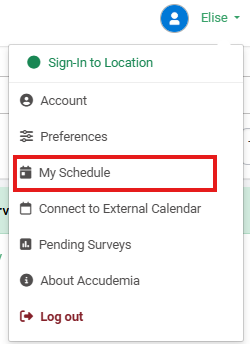
NOTE: The Tutors will now have a "My Schedule" section show up in their account when they login.